GOPRO → FINISHED VIDEO

Make the ride visible.

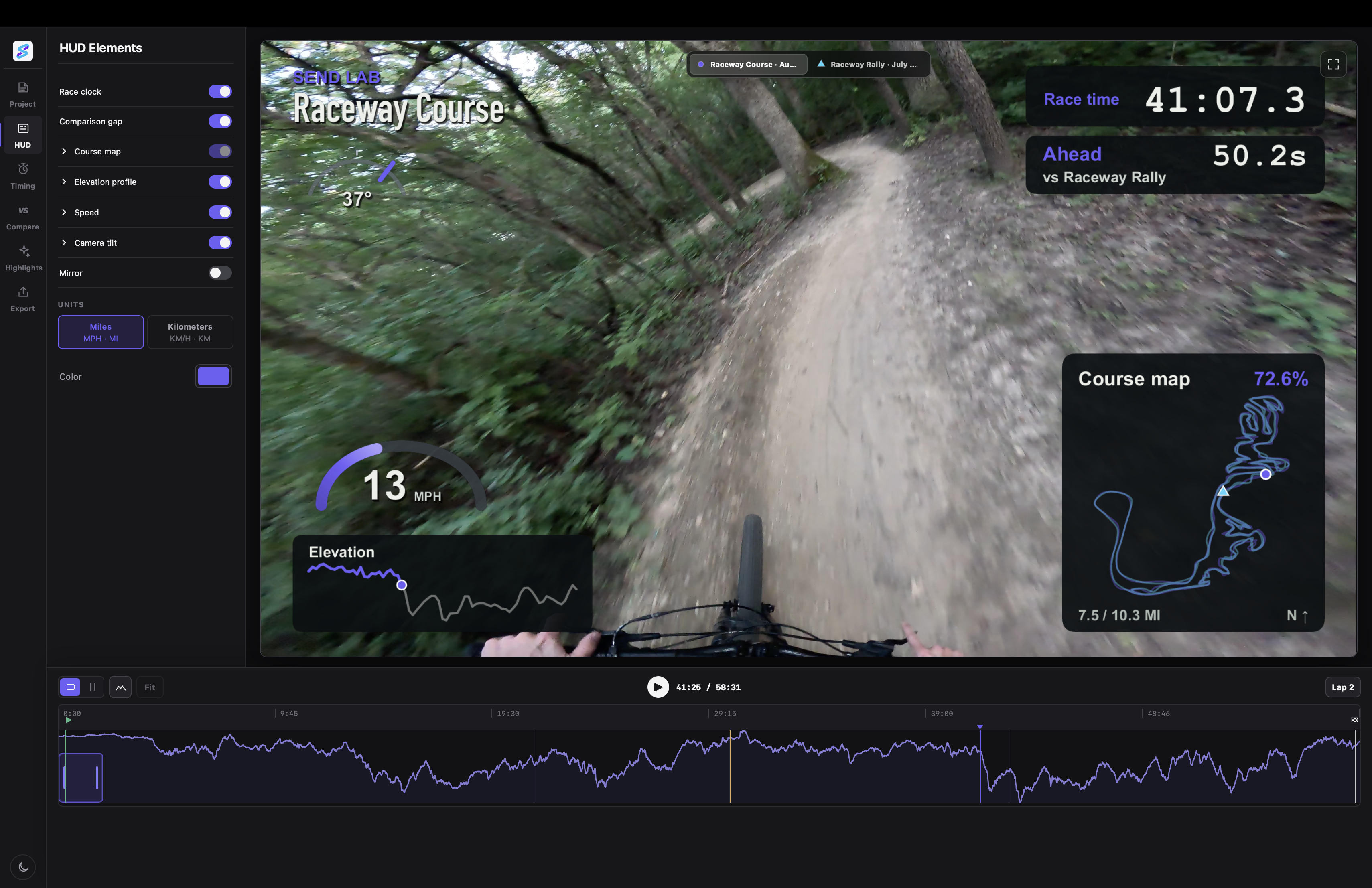
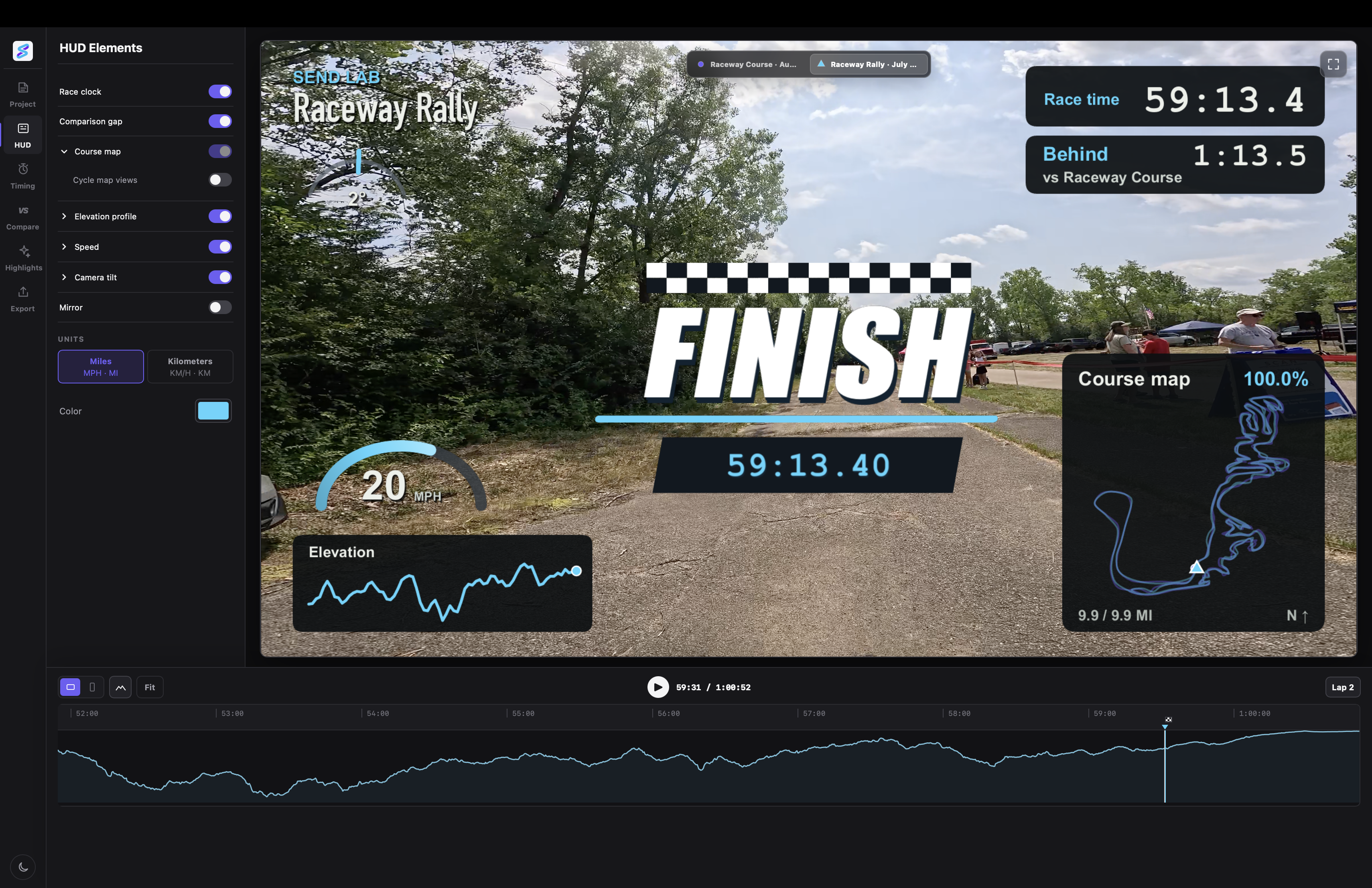
Send Lab turns GoPro footage into a finished Activity Video with speed, route, race timing, and comparison built into the frame. Edit and export on your Mac.

Paid Mac v1 · final qualification

ACTIVITY_042 / LIVE PREVIEW

24.8MPH
63%ROUTE

RIDGELINE

02:14.6SEGMENT TIME
GAP TO TAYLOR+4.2s
LIVE

ONE FILE IN. ONE VIDEO OUT.

No sync ritual. No telemetry software.

01

Drop in a GoPro recording

Send Lab finds the camera chapters and reads the GPS data already embedded in the footage.

02

Cut while it plays

Scrub Live Preview, keep the sections that matter, and place the HUD where it belongs.

03

Export what you saw

Render the finished MP4 on your Mac in Landscape or Vertical. Your original files are never changed.

THE V1 CUT

The whole ride. Not a pile of gauges.

LIVE PREVIEW

Shape it while it moves.

The HUD updates as you edit. Preview and export use the same composition, so a final render is not a surprise.

COMPARISON GAP

Show who is actually ahead.

Align two or three Activities from the same race and show the time gap at that exact point on the course.

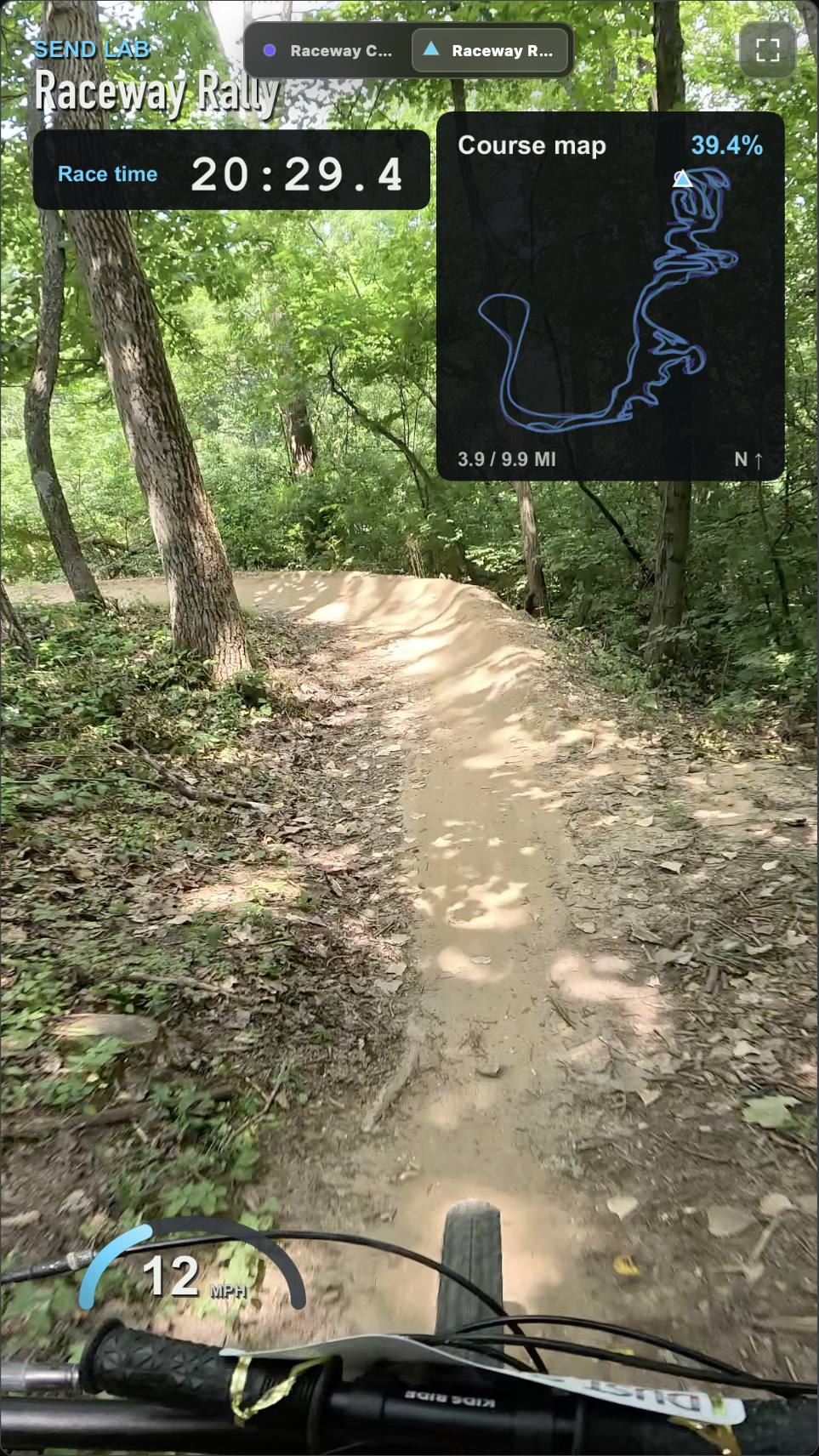
FRAME FORMATS

Landscape and Vertical get their own layout.

Reframe the footage and arrange the HUD for each shape instead of shrinking one design until it barely fits.

LOCAL EXPORT

The finished file comes first.

Export a normal MP4 to your Mac. YouTube publishing is optional and never owns the only copy.

LOCAL MEANS LOCAL

The big files stay put.

Import, playback, editing, and export happen on your Mac. Send Lab does not send raw footage to its own server.

If you choose YouTube publishing, the finished MP4 goes directly from your Mac to YouTube. A failed upload cannot damage or remove the local export.

MAC V1

One input. Properly finished.

The first release is built around GoPro footage with embedded GPS. FIT, GPX, Strava, Apple Health, and Watch capture come later—not half-finished now.

See the release checklist